

Overview
If you've ever tried to migrate workflows between n8n instances, you've probably run into the same frustrations: bulk exports that move everything or nothing, credential mismatches that break half your workflows on arrival, and the constant fear of accidentally overwriting something important.
The standard export/import process works fine for simple scenarios, but it wasn't built for selective migration or multi-instance management. It's a blunt instrument when you need surgical precision.
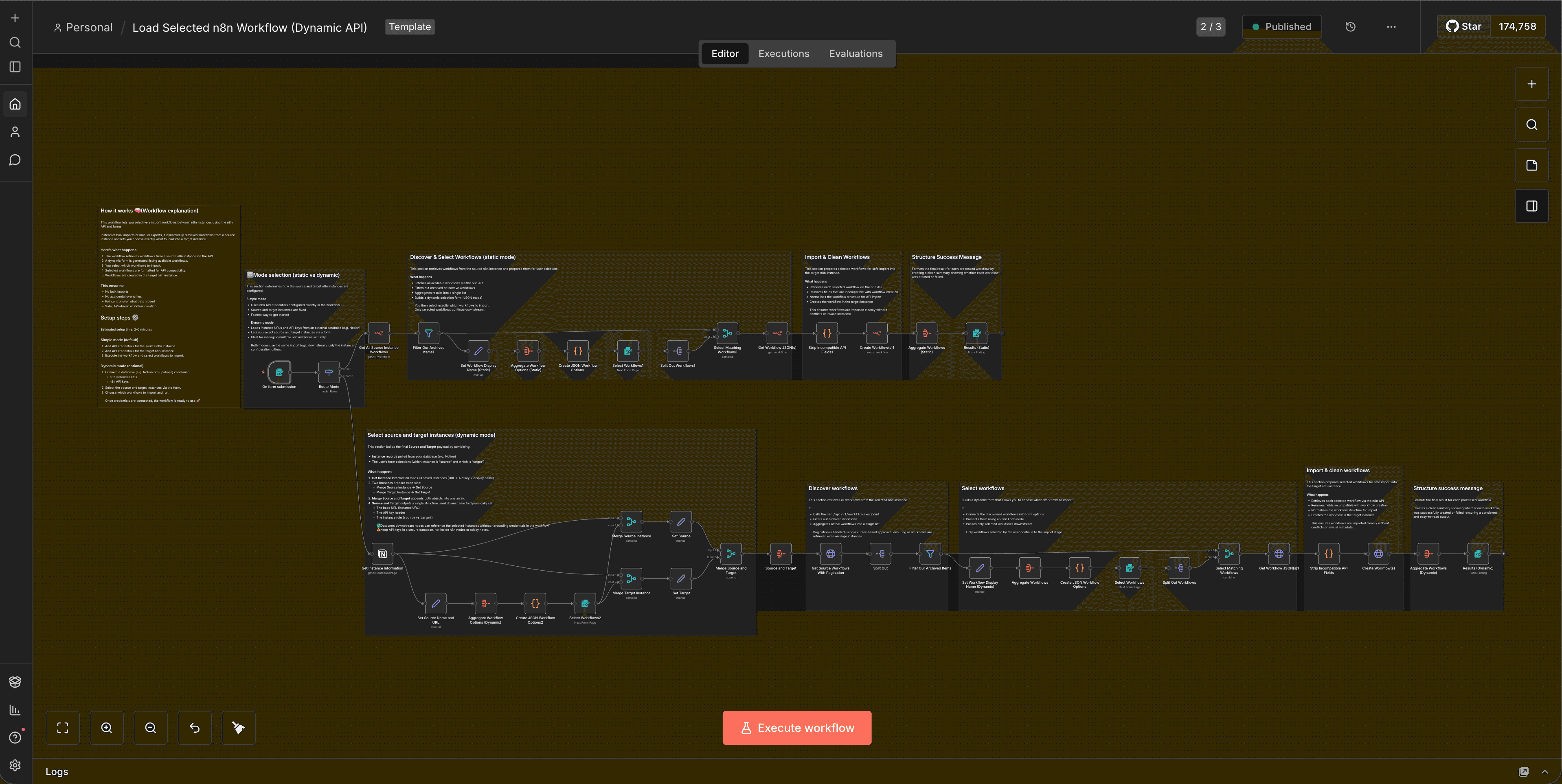
We've built a workflow template that addresses this directly. It lets you choose exactly which workflows to migrate, handles credential mapping intelligently, and operates in two distinct modes depending on your security and operational requirements: Default (static credentials) and Dynamic (runtime instance selection with external credential storage).
This isn't about replacing n8n's native import/export functionality. It's about extending it with the control and flexibility that multi-instance operators actually need.
What Changed
n8n's built-in workflow export and import system works with JSON files. You export a workflow, it bundles up all the nodes and connections, and you import it elsewhere. The problem is that credentials are referenced by ID or name, and if those don't match on the target instance, you're left manually reconnecting everything.
There's also no native way to selectively import workflows. It's all or nothing. If you have 50 workflows in an export file and only want to move three, you're stuck doing it manually or writing custom logic.
This workflow template solves both problems by using n8n's API to:
- Retrieve a list of available workflows from a source instance
- Present them to the user in a form for selection
- Clean and prepare the selected workflows for API-based import
- Create them in the target instance with proper credential handling
The key difference between the two modes is where instance credentials live and how they're accessed.
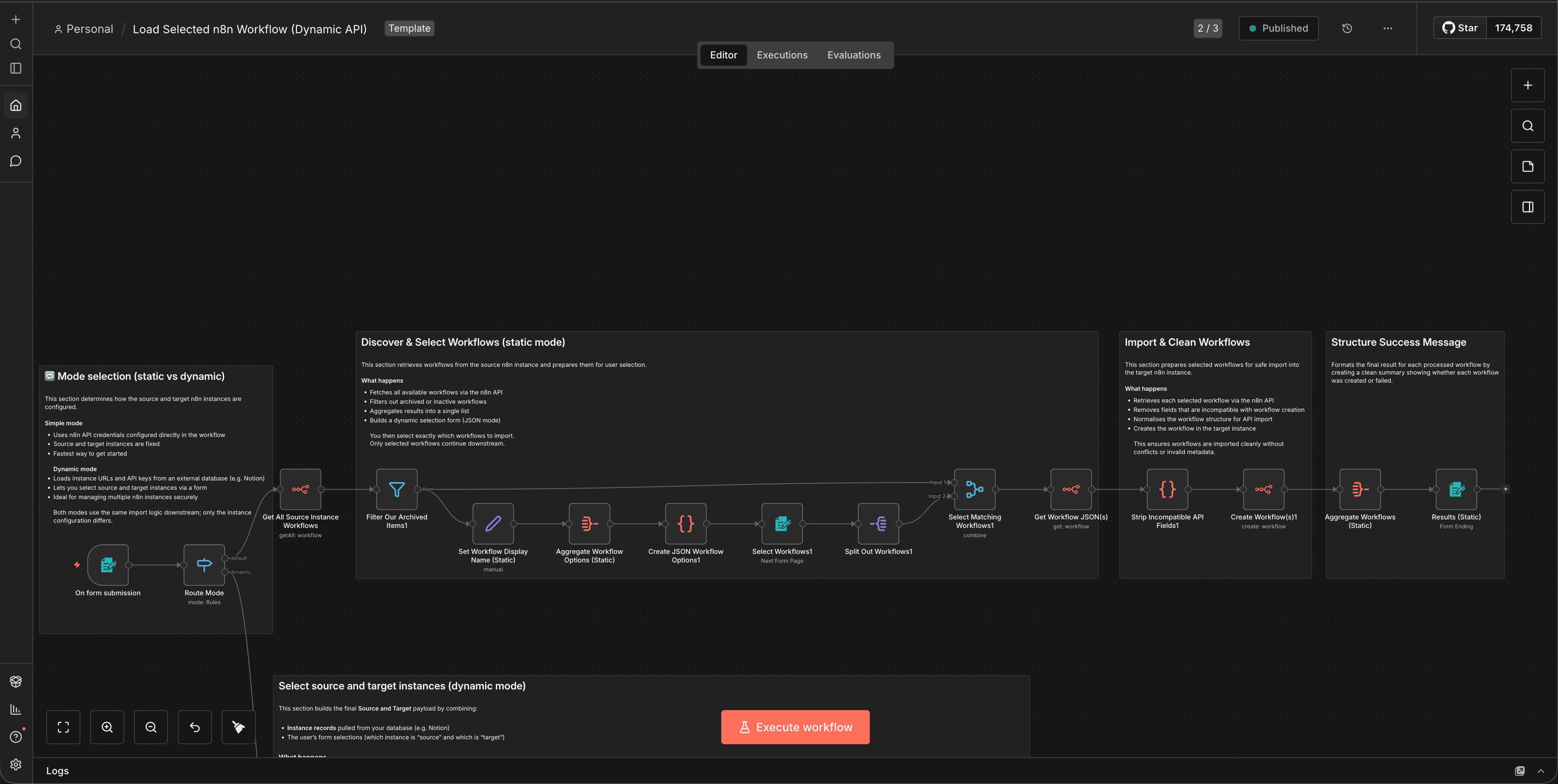
Default Mode uses native n8n API credentials configured directly in the workflow. You set up your source and target instances once, and the workflow uses those credentials every time it runs. This is straightforward, secure within n8n's credential system, and works well for fixed, repeatable migrations between known instances.
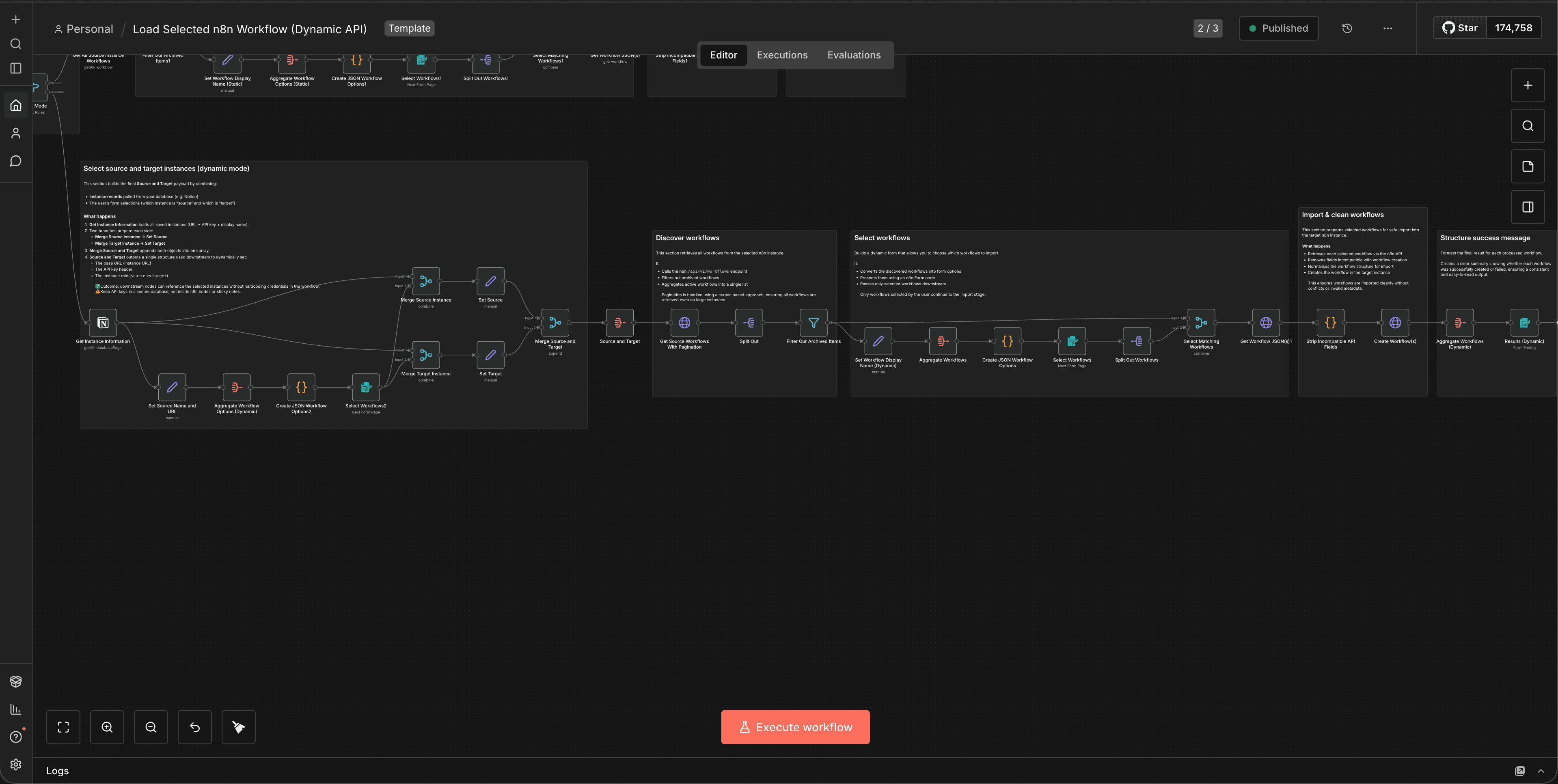
Dynamic Mode externalises instance credentials entirely. Instead of hardcoding them in the workflow, you store instance URLs and API keys in an external database (Notion, Supabase, or similar). At runtime, the workflow fetches the list of available instances, presents them in a form, and the user selects which source and target to use. The workflow then retrieves the appropriate credentials and proceeds with the migration.
Both modes follow the same core migration logic. The difference is operational: static configuration vs runtime flexibility.
Why This Matters
Multi-instance n8n setups are increasingly common. Agencies manage separate instances for different clients. Enterprises run staging, production, and development environments. Consultants maintain template libraries in one instance and deploy customised versions to client instances.
In all these scenarios, you need to move workflows selectively, safely, and repeatedly. The native export/import process wasn't designed for this. It's file-based, manual, and doesn't handle credentials gracefully across instances.
This workflow template makes selective migration a repeatable, API-driven process. You're not exporting files and hoping credentials line up. You're querying the source instance, choosing what to move, and creating workflows programmatically in the target.
The choice between Default and Dynamic modes matters because different operational contexts have different requirements.
If you're migrating workflows between two fixed instances: say, from staging to production, Default mode is simpler and more secure. Credentials stay inside n8n's native credential system, which is encrypted and access-controlled. There's no external database to manage, no additional attack surface, and no runtime complexity.
If you're managing multiple client instances or frequently migrating workflows between different environments, Dynamic mode gives you flexibility without having to edit the workflow every time. You maintain a central registry of instances, and users select the appropriate source and target at runtime. This is particularly useful for agencies or consultants who need to deploy workflows to different client instances on demand.
The trade-off is complexity and security surface. Dynamic mode requires an external database, secure credential storage, and careful access control. You're moving sensitive API keys outside n8n's native credential system, which means you need to trust and secure that external store.
The Workflow In Action
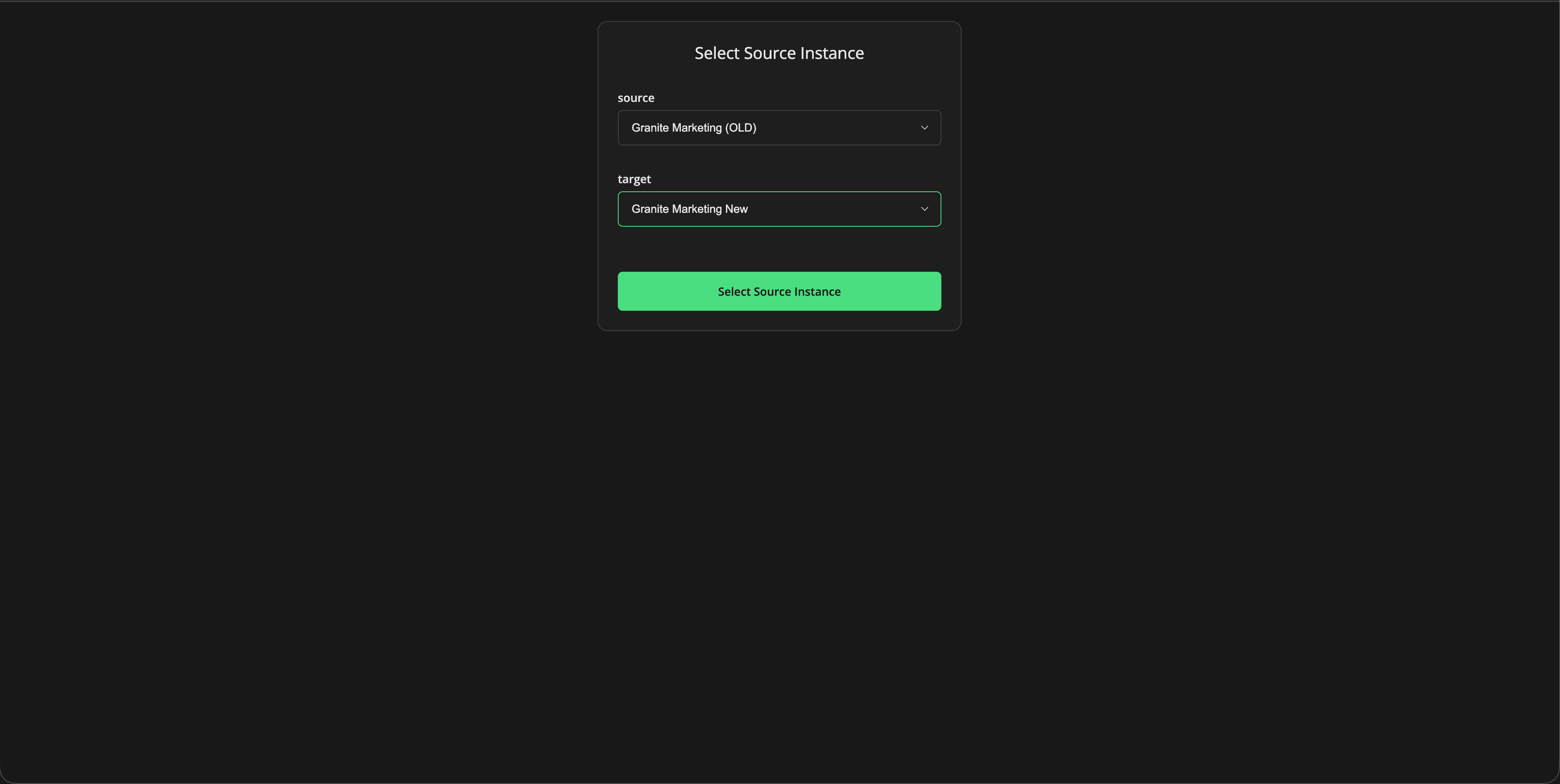
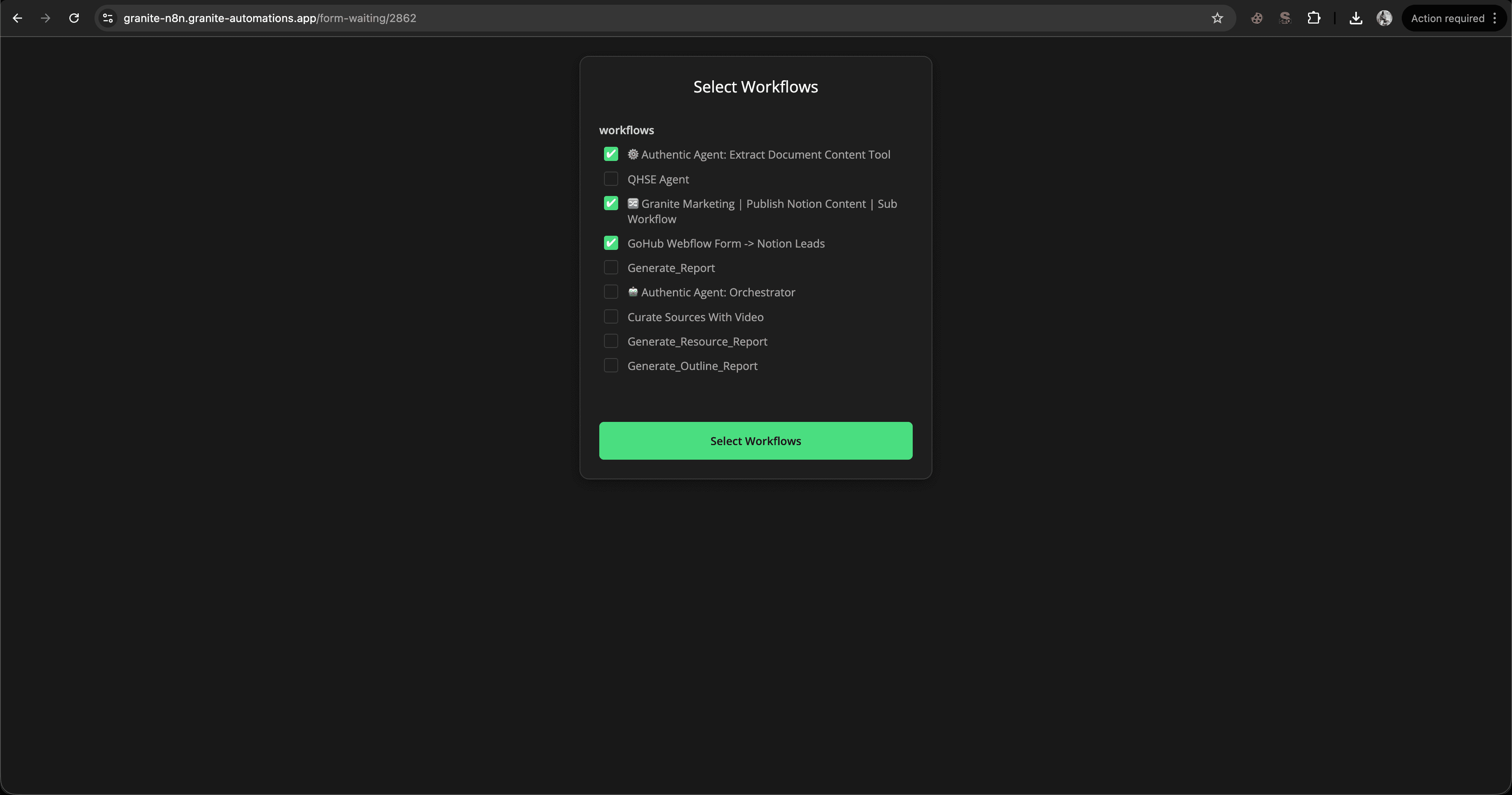
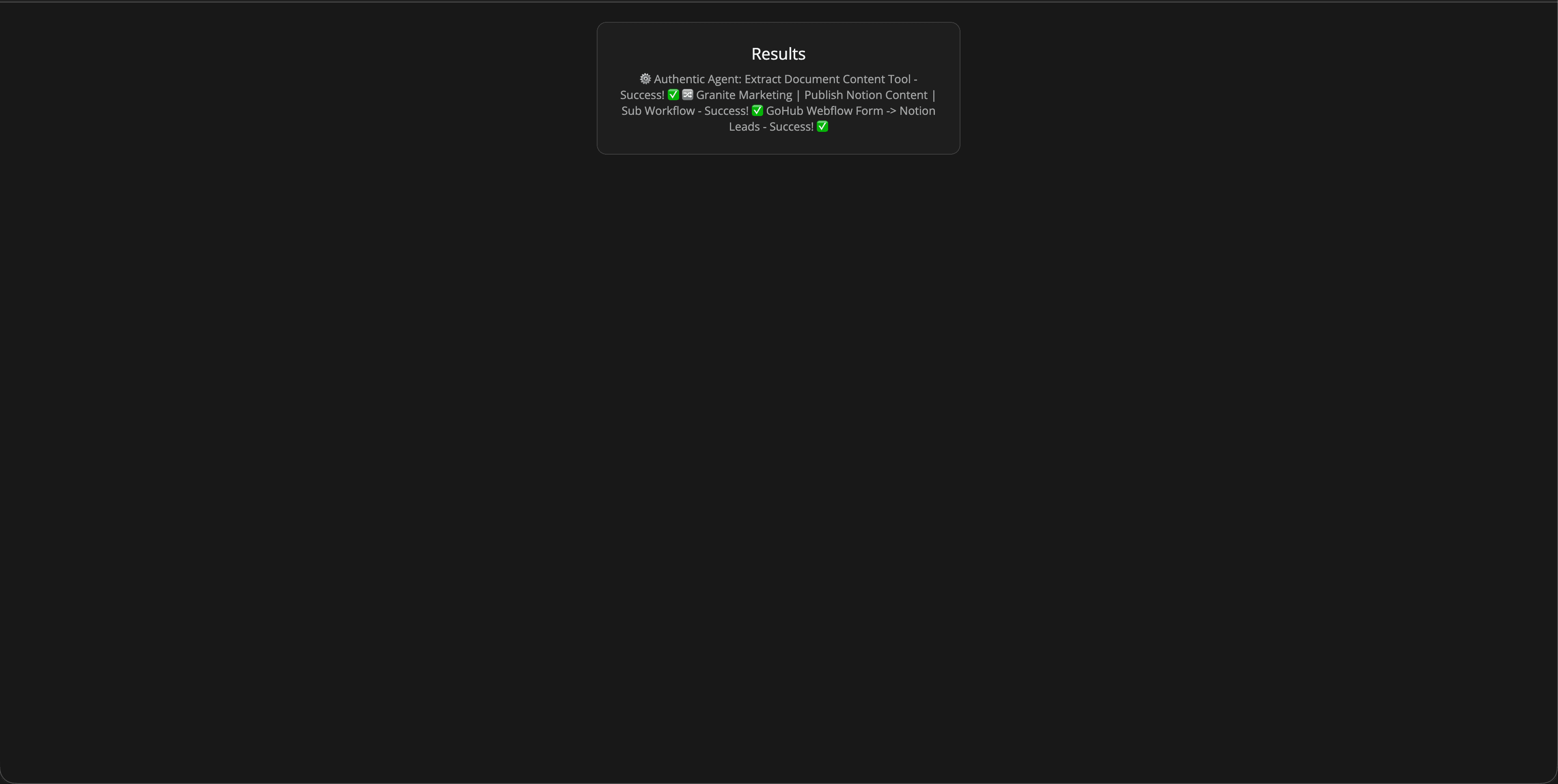
Practical Implications for Automation
The most immediate benefit is control. You can migrate specific workflows without touching anything else. This is critical when you're working with production instances where accidental overwrites or missing credentials can break live automations.
The workflow prevents recursion by design. If you're importing a workflow that references itself or calls sub-workflows, the logic checks for those dependencies and handles them appropriately. This avoids the classic problem of importing a workflow that then tries to import itself in an infinite loop.
Credential handling is explicit. The workflow doesn't assume credentials will magically match between instances. It cleans workflow JSON to remove credential IDs, and in Dynamic mode, it can map credentials based on user input or predefined rules. This reduces the manual reconnection work that normally follows a migration.
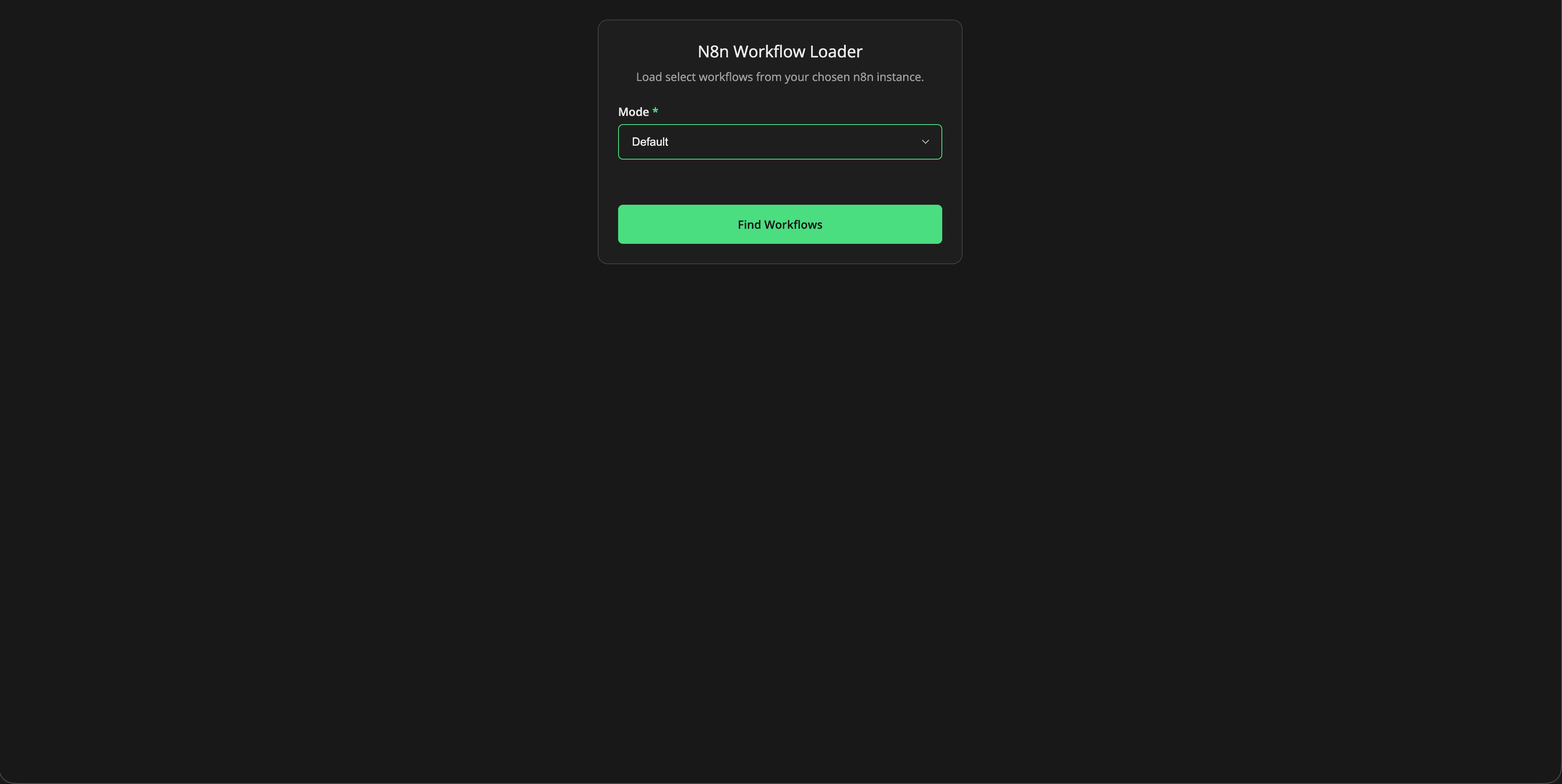
The form-based selection interface makes the process accessible to non-technical users. Instead of editing JSON files or running API calls manually, users see a list of workflows, tick the ones they want, and confirm. The workflow handles the rest.
This also enables version control and rollback strategies. Because migrations are API-driven and logged, you can track what was moved, when, and by whom. If a migration introduces issues, you can identify exactly which workflows were affected and revert them.
How This Affects n8n Workflows
If you're running multiple n8n instances, this workflow becomes part of your operational toolkit. It's not something you run once. It's something you use regularly as part of deployment, testing, and client onboarding processes.
For agencies, Dynamic mode is particularly useful. You maintain a central library of workflow templates in one instance, and when you onboard a new client, you spin up their instance, add it to your external database, and use this workflow to selectively deploy the templates they need. No manual exports, no file transfers, no credential mismatches.
For enterprises, Default mode fits well into CI/CD-style workflows. You can trigger this workflow programmatically to migrate specific workflows from staging to production after testing. Because the source and target are fixed, you don't need runtime selection. You just need reliable, repeatable migration.
The workflow also complements GitHub-based version control strategies. If you're storing workflow JSON in GitHub (as discussed in our earlier post on GitHub-to-n8n imports), you can use this workflow to move those imported workflows between instances. GitHub becomes your source of truth, and this workflow becomes your deployment mechanism.
Constraints and Considerations
This workflow doesn't solve every migration problem. It handles workflows, but it doesn't automatically migrate credentials themselves. If a workflow depends on a credential that doesn't exist on the target instance, you'll need to create that credential manually or build additional logic to handle credential creation.
Sub-workflows and nested dependencies require careful handling. If you're migrating a workflow that calls other workflows, you need to ensure those dependencies exist on the target instance first. The workflow includes checks for this, but it's not fully automatic. You may need to migrate dependencies in the correct order.
Dynamic mode introduces operational complexity. You're managing an external database of instance credentials, which means you need to keep that database secure, up to date, and accessible to the workflow. If the database is unavailable or credentials are outdated, the workflow fails. This is a trade-off for flexibility.
Security is a primary concern in Dynamic mode. You're storing API keys in an external system, which expands your attack surface. If that system is compromised, an attacker gains access to all registered n8n instances. This is why Dynamic mode is only appropriate when you have strong access controls, encryption, and monitoring on the external credential store.
n8n's external secrets feature (which integrates with AWS Secrets Manager, Azure Key Vault, and similar services) can mitigate this risk, but it requires additional setup and infrastructure. If you're not prepared to manage that, Default mode is safer.
The workflow also assumes API access to both source and target instances. If either instance has restricted API access, rate limiting, or network isolation, you'll need to account for that in your setup.
Closing Thoughts
Selective workflow migration is one of those problems that seems simple until you try to do it at scale. The native export/import process works for one-off moves, but it breaks down when you're managing multiple instances, deploying templates to clients, or maintaining staging and production environments.
This workflow template doesn't replace n8n's built-in functionality. It extends it with the control, flexibility, and safety that multi-instance operators need. Default mode gives you simplicity and security for fixed migrations. Dynamic mode gives you flexibility and scalability for variable environments.
The choice between them depends on your operational context, security requirements, and how often you're moving workflows between different instances.
If you're running a single instance or only occasionally migrating workflows, you probably don't need this. The native process is fine. If you're managing multiple instances, deploying workflows to clients, or running staging/production pipelines, this workflow becomes part of your operational toolkit.
It's not a silver bullet. You'll still need to think about credential management, sub-workflow dependencies, and access control. What it does is give you a structured, repeatable, API-driven process for selective migration, which is a significant improvement over manual exports and file-based imports.
The broader pattern here: API-driven, form-based, selective workflow management, applies beyond just instance-to-instance migration. The same principles work for GitHub-to-n8n imports, template libraries, and version-controlled deployment pipelines.
If you're building automation infrastructure at scale, these patterns matter. They're the difference between managing workflows manually and managing them programmatically.


