
Railway offers a serverless sleep feature that scales containers to zero after a period of inactivity. In theory, you toggle it on and stop paying for idle time. In practice, your services will keep themselves awake without you realising, and you'll burn money on containers that aren't doing anything useful.
This post walks through the five patterns we built across an 8-service Python/FastAPI pipeline to make Railway serverless work properly. Each pattern solves a specific problem that prevents containers from sleeping, and they compound: get all five right and your bursty workloads only cost what they actually use.
The starting point
Our pipeline is a biofuel industry intelligence platform. It ingests news articles from multiple sources, classifies them for relevance, deduplicates, syncs to a dashboard, and sends email digests. Eight microservices, all running FastAPI on Railway, backed by Neon (serverless Postgres).
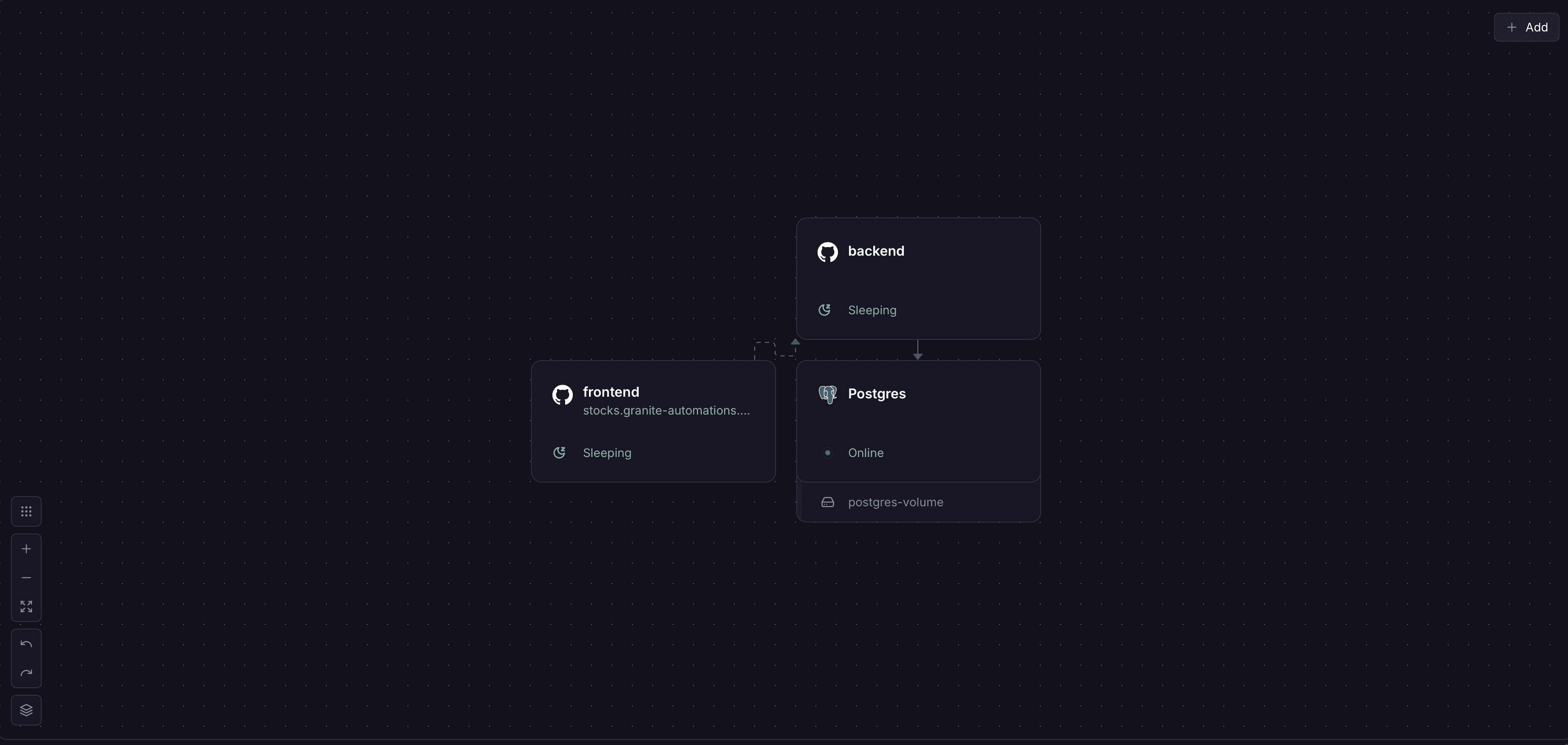
The problem was straightforward: most of these services are bursty. The content sourcing service runs every few hours. The classifier processes articles in batches. The email digest runs once a day. Between runs, containers sat idle, burning money. Railway was charging us $54/month in usage for a pipeline that's idle about 90% of the time.
We assumed enabling Railway's serverless sleep would be a settings change. It wasn't.
Prerequisites
To follow along, you'll need:
- A Railway project with at least one service running
- FastAPI (or any Python web framework) with an async database pool (asyncpg or psycopg)
- A serverless database like Neon, or any Postgres with connection pooling
- Basic familiarity with asyncio and background task patterns
The patterns here are written for Python/FastAPI, but the underlying concepts apply to any language or framework running on Railway.
Pattern 1: Kill the keepalive with min_size=0
Railway decides a container is idle based on network traffic. If there's no inbound or outbound traffic for a configurable period, the container sleeps.
The discovery: our asyncpg and psycopg connection pools maintained minimum connections (typically min_size=2 or higher). These connections send periodic keepalive packets to the database. Railway sees that outbound traffic and assumes the container is still busy. The container never sleeps.
The fix is setting min_size=0 on every connection pool:
# Before: pool keeps 2 connections alive at all times
pool = await asyncpg.create_pool(
    dsn=DATABASE_URL,
    min_size=2,  # keepalive packets prevent Railway sleep
    max_size=10,
)

# After: pool empties when idle, zero outbound traffic
pool = await asyncpg.create_pool(
    dsn=DATABASE_URL,
    min_size=0,  # connections close naturally when unused
    max_size=10,
)
Make it configurable via environment variable so you can tune it per service:
import os

DB_POOL_MIN_SIZE = int(os.getenv("DB_POOL_MIN_SIZE", "0"))

pool = await asyncpg.create_pool(
    dsn=DATABASE_URL,
    min_size=DB_POOL_MIN_SIZE,
    max_size=int(os.getenv("DB_POOL_MAX_SIZE", "10")),
)
The trade-off is cold-start latency. The first request after sleep pays the cost of establishing a new database connection. If you're using Neon's connection pooler (pgbouncer in transaction mode), it recycles idle server connections on its side too, so the pool genuinely empties. For bursty workloads where you're idle for hours between runs, a few hundred milliseconds of connection setup is a good trade for not paying for 23 hours of idle time.
We applied this across four services: content sourcing, article processor, relevance classifier, and email digest.
Pattern 2: Idle exit and supervisor respawn
Setting min_size=0 handles database connections, but it won't help if you have background tasks running inside your application. Queue processors, drain loops, polling workers: anything that runs on a timer generates enough internal activity that Railway never sees the container as idle.
Our drain loops polled every 5 seconds, even when there was nothing to process. The solution has two parts.
Part 1: Idle exit. The drain loop tracks consecutive empty polls. After a configurable idle period, it exits cleanly:
import asyncio
import logging

logger = logging.getLogger(__name__)

IDLE_TIMEOUT_SECONDS = int(os.getenv("DRAIN_IDLE_TIMEOUT", "60"))
POLL_INTERVAL = 5

async def drain_loop(app):
    idle_seconds = 0

    while True:
        batch = await claim_batch()

        if batch:
            idle_seconds = 0
            await process_batch(batch)
        else:
            idle_seconds += POLL_INTERVAL
            if idle_seconds >= IDLE_TIMEOUT_SECONDS:
                logger.info("drainer_idle_exit", extra={
                    "idle_seconds": idle_seconds
                })
                # Release DB connection before exiting
                await release_pool_connection()
                app.state.drainer_running = False
                return

        await asyncio.sleep(POLL_INTERVAL)
The connection release detail matters. On the idle path, the drain loop explicitly releases its DB pool connection before entering the idle countdown. Without this, the pool checkout itself counts as an active connection, and the keepalive traffic from that checkout prevents sleep. This catches people out because you'd assume an idle connection isn't generating traffic, but it is.
Part 2: Supervisor respawn. When new work arrives, a wake_drainer() function checks if the drain task has exited and respawns it:
async def wake_drainer(app):
    if not app.state.drainer_running:
        app.state.drainer_running = True
        app.state.drainer_task = asyncio.create_task(drain_loop(app))
        logger.info("drainer_respawned")

async def enqueue(app, items):
    await insert_to_queue(items)
    await wake_drainer(app)
Why not just let Railway restart the container? Because a full container restart takes 10-30 seconds (Docker build cache helps, but cold database connections and migration checks add up). The supervisor respawn within a warm container is sub-millisecond. Your service goes from sleeping to processing in the time it takes to create an asyncio task.
We tuned the idle timeout per service: 60 seconds for content sourcing (processes batches frequently), 300 seconds for the classifier (less frequent, heavier startup cost).
Pattern 3: Transactional outbox for safe sleep
Here's the scenario that breaks naive serverless: your service processes an item and needs to notify another service via webhook. If the container sleeps mid-process, or the downstream service is itself sleeping, you lose the notification.
We solved this with a transactional outbox. When the article processor classifies an article, it writes the article and a sync notification in a single database transaction:
async def upsert_article(conn, article, classification):
    async with conn.transaction():
        # Both writes commit or both roll back
        await conn.execute(
            "INSERT INTO articles (...) VALUES (...)",
            article.values()
        )
        await conn.execute(
            "INSERT INTO dashboard_sync_outbox (article_id, status) "
            "VALUES ($1, 'queued')",
            article["id"]
        )
A separate drainer polls the outbox and delivers webhooks:
async def claim_batch(conn, batch_size=10):
    """Claim rows with FOR UPDATE SKIP LOCKED for multi-replica safety."""
    return await conn.fetch(
        "UPDATE dashboard_sync_outbox "
        "SET status = 'in_flight', claimed_at = now() "
        "WHERE id IN ("
        "  SELECT id FROM dashboard_sync_outbox "
        "  WHERE status = 'queued' "
        "  ORDER BY created_at "
        "  LIMIT $1 "
        "  FOR UPDATE SKIP LOCKED"
        ") RETURNING *",
        batch_size
    )
The outbox drainer uses the same idle-exit and supervisor-respawn pattern from Pattern 2. After syncing all pending rows, it exits. When the classifier enqueues a new row, it wakes the drainer. Between batches, the container sleeps. No work is ever lost.
For delivery reliability, classify HTTP responses into categories:
- 200/201: Sent successfully, delete from outbox
- 4xx (not 429): Permanent failure, flag for operator triage
- 5xx, 429, timeout: Transient failure, exponential backoff and retry
- 50+ attempts: Dead-letter so you can distinguish 'still trying' from 'permanently stuck'
Add stale lock recovery for the case where a drainer crashes mid-POST: any in_flight rows older than 10 minutes get automatically reset to queued.
Pattern 4: Health checks that tell the truth
Railway uses health check endpoints to decide whether a container is alive and whether it should receive traffic. Most health checks are too simple for serverless architectures.
The distinction that matters: /healthz (liveness) versus /readyz (readiness).
@app.get("/healthz")
async def liveness():
    """Is the process alive? Railway uses this to detect crashes."""
    return {"status": "ok"}

@app.get("/readyz")
async def readiness(app=Depends(get_app)):
    """Should this container receive traffic?"""
    checks = {
        "db_pool": app.state.pool is not None,
        "drainer_healthy": getattr(app.state, "drainer_healthy", True),
    }

    if not all(checks.values()):
        raise HTTPException(status_code=503, detail=checks)

    return {"status": "ready", "checks": checks}
Point Railway's healthcheckPath in railway.toml at /readyz. This is where the drainer health integration becomes critical.
The most insidious failure mode in a queue-based architecture: the drain task dies from an unhandled exception, but the HTTP server keeps responding happily. Your /search endpoint keeps enqueuing work, but nothing is processing it. A silent data stall.
The fix uses asyncio's add_done_callback:
def on_drainer_done(task):
    if task.exception():
        app.state.drainer_healthy = False
        logger.error("drainer_crashed", exc_info=task.exception())

drainer_task = asyncio.create_task(drain_loop(app))
drainer_task.add_done_callback(on_drainer_done)
When the drainer crashes, /readyz returns 503, and Railway restarts the container. Without this, you find out about the stall from a user, not from your infrastructure.
Pattern 5: Proxy layer for cold-start latency
If a frontend talks directly to a Railway service that's sleeping, the first request gets a connection refused or timeout. Users see an error.
For services with a frontend, add a proxy layer that absorbs cold-start latency transparently. In Next.js, this looks like an API route that retries with exponential backoff:
async function proxyToRailway(path: string, options: RequestInit) {
  const maxRetries = 4;

  for (let attempt = 0; attempt <= maxRetries; attempt++) {
    try {
      const res = await fetch(`${RAILWAY_URL}${path}`, options);
      return res;
    } catch (err) {
      if (attempt === maxRetries) throw err;
      // Exponential backoff: 500ms, 1s, 2s, 4s
      await new Promise(r => setTimeout(r, 500 * Math.pow(2, attempt)));
    }
  }
}
Layer caching on top of this for GET requests. We use Next.js Data Cache with per-segment tags (agent-references, agent-taste), where mutations bust relevant cache tags via revalidateTag. Polling endpoints that need fresh data use Cache-Control: no-cache to bypass the cache.
The result: the user gets a cached response instantly while the Railway service wakes up in the background. By the time they interact with something that requires a live backend call, the container is warm.
Tips and gotchas
Neon connection resilience. Neon's pgbouncer recycles idle server connections, which means your pool can hand back stale connections after sleep. Configure your pool to validate on checkout:
pool = AsyncConnectionPool(
    conninfo=DATABASE_URL,
    check=AsyncConnectionPool.check_connection,  # validate on checkout
    max_idle=120,       # close idle connections after 2 min
    max_lifetime=1800,  # absolute 30 min lifetime
)
Pool saturation under fan-out. If an orchestrator fans out multiple requests to your service simultaneously (e.g. n8n triggering several keyword searches), you can exhaust your connection pool. Collapse sequential INSERTs into batched multi-VALUES statements, and make your pool size env-configurable so you can tune without redeploying.
Circuit breakers for external APIs. If you're calling rate-limited APIs like Tavily, a quota-exhausted response (HTTP 432) won't recover until the next billing cycle. Retries are pointless. Build a simple circuit breaker: open immediately on quota errors with a 4-hour cooldown, open after two consecutive 429s with a 5-minute cooldown, and auto-reset on any 2xx. When the circuit is open, skip the API call entirely and let other sources continue.
The silent data loss scenario. External APIs change their response formats without warning. We lost 6 days of Google News articles because a date field changed from a parseable date to a compound string with timezone garbage. Zero errors, zero alerts, because the handler treated unparseable dates as a normal skip. The lesson: any external API integration needs documented field semantics and a monitoring signal that fires when the 'normal skip' rate spikes.
The result
Before: 8 services running 24/7, most idle 90%+ of the time. Monthly usage: $54.
After: services sleep between runs. The email digest sleeps ~23.5 hours/day. The content sourcing service processes a batch, flushes to the webhook, and sleeps. The classifier wakes on inbound requests and sleeps after draining its outbox.
Current usage: $5.30/month. The estimated bill is $20, which is just the Railway Pro plan fee.
The patterns compound. min_size=0 kills keepalives, idle-exit stops polling, supervisor-respawn means fast wake-up, outbox patterns mean no work is lost across sleep cycles, circuit breakers prevent wasted API calls, and health checks ensure Railway restarts containers that are alive but broken.
None of this required changing our architecture. It was the same services, the same codebase, the same database. We just had to understand what was keeping our containers awake and systematically remove each cause, while building reliability patterns to make sleep safe.
The actual engineering work wasn't turning on serverless. It was making sure nothing breaks when things go to sleep.


